
Best Practices for Designing Warehouse WiFi Coverage
Reliable WiFi is no longer a luxury in today's warehouses—it's a necessity. From barcode scanners and inventory management systems to automated equipment and cloud-based software, nearly every aspect of warehouse operations depends on fast, dependable wireless connectivity. Poor WiFi coverage can lead to delayed shipments, inaccurate inventory counts, lost productivity, and frustrated employees.
Designing a warehouse WiFi network requires more than simply installing a few wireless access points. Large open spaces, tall storage racks, machinery, and constantly changing inventory create unique challenges that can interfere with wireless signals. By following proven design principles, businesses can build a WiFi network that delivers reliable performance today while supporting future growth.
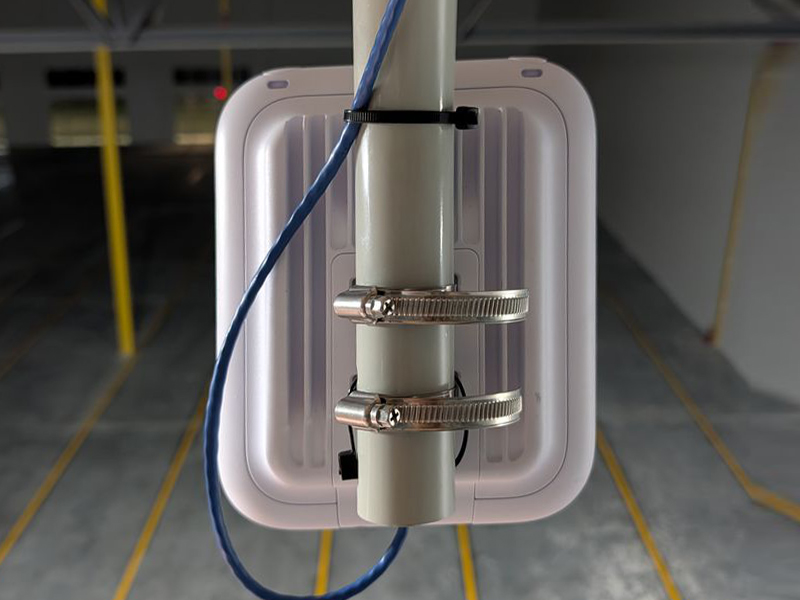
Understand the Unique Challenges of Warehouse Environments
Warehouses are very different from traditional office buildings. Their size, layout, and construction materials can significantly impact wireless performance.
Common challenges include:
- High ceilings
- Metal shelving and pallet racks
- Concrete and masonry walls
- Large machinery
- Moving forklifts and equipment
- Changing inventory levels
- Long aisles that create signal reflections
- Multiple wireless devices operating simultaneously
These factors can weaken wireless signals, create dead zones, and increase interference if the network is not properly designed.
Begin with a Professional WiFi Site Survey
Every successful warehouse WiFi deployment starts with a comprehensive wireless site survey.
A site survey helps determine:
- Building dimensions
- Construction materials
- Existing wireless interference
- Coverage requirements
- Device density
- Access point placement
- Network capacity
- Future expansion opportunities
Rather than guessing where equipment should be installed, a site survey provides the data needed to create an efficient wireless design that delivers consistent coverage throughout the facility.
Design for Both Coverage and Capacity
Many businesses focus only on ensuring WiFi signals reach every corner of the warehouse. However, signal strength alone isn't enough.
The network must also support the number of devices using it at the same time.
Today's warehouses often connect:
- Barcode scanners
- Tablets
- Laptops
- Forklift terminals
- Mobile workstations
- Security cameras
- IoT sensors
- Voice communication devices
- Inventory management systems
Designing for capacity ensures that performance remains reliable during busy operational periods when many devices are connected simultaneously.
Select the Right Access Point Locations
Proper placement of wireless access points is critical to achieving reliable coverage.
Rather than installing access points wherever convenient, experienced designers carefully evaluate:
- Ceiling height
- Rack configuration
- Aisle direction
- Equipment locations
- Loading docks
- Office areas
- Shipping stations
- Receiving departments
Strategically placing access points minimizes interference while improving roaming performance for mobile workers moving throughout the warehouse.
Reduce Signal Interference
Metal storage racks and industrial equipment are among the biggest causes of wireless interference in warehouses.
To minimize interference:
- Avoid placing access points directly behind metal obstructions.
- Design coverage around shelving layouts.
- Separate overlapping wireless channels.
- Account for reflective surfaces.
- Minimize unnecessary signal overlap.
Proper radio frequency (RF) planning allows devices to maintain strong, stable connections without competing signals reducing performance.
Plan for Seamless Roaming
Warehouse employees rarely stay in one location. Workers often move continuously throughout the building using handheld scanners, tablets, or forklifts equipped with wireless terminals.
A properly designed WiFi network allows devices to transition smoothly between access points without disconnecting.
Seamless roaming is especially important for:
- Real-time inventory updates
- Voice communications
- Warehouse management systems
- Automated guided vehicles (AGVs)
- Mobile computing devices
Without proper roaming configuration, workers may experience dropped connections that interrupt operations.
Consider Future Growth
Warehouse technology continues to evolve rapidly.
When designing a WiFi network, businesses should plan for future technologies such as:
- Robotics
- Automated picking systems
- Artificial intelligence
- IoT sensors
- Additional wireless devices
- Expanded warehouse space
- Cloud-based inventory platforms
Installing scalable infrastructure today reduces the need for costly redesigns as operations grow.
Build a Reliable Network Infrastructure
Even the best wireless equipment depends on a strong wired network.
Warehouse WiFi performance starts with quality infrastructure that includes:
- Structured cabling
- Fiber optic backbone connections
- Network switches
- Properly configured network closets
- Reliable power
- Cable management systems
A robust wired foundation ensures wireless access points receive the bandwidth needed to deliver consistent performance throughout the facility.
Perform Thorough Testing Before Deployment
Testing is essential before placing a warehouse WiFi network into production.
Comprehensive validation helps verify:
- Coverage throughout the facility
- Signal strength
- Roaming performance
- Device connectivity
- Network speeds
- Capacity under load
- Potential dead zones
Post-installation testing identifies any adjustments needed before employees begin relying on the network for daily operations.
Maintain and Optimize the Network
Warehouse environments are constantly changing.
New shelving, equipment, inventory layouts, and technology can all affect wireless performance over time.
Businesses should periodically evaluate their WiFi network by:
- Monitoring network performance
- Reviewing access point utilization
- Updating firmware
- Conducting follow-up site surveys
- Expanding coverage as operations grow
Routine optimization helps maintain peak performance while extending the life of the wireless infrastructure.
Common Mistakes to Avoid
Warehouse WiFi projects often encounter problems when businesses overlook key design principles.
Some of the most common mistakes include:
- Installing too few access points
- Overlapping wireless channels
- Ignoring future expansion
- Skipping professional site surveys
- Using office WiFi designs in warehouse environments
- Failing to account for metal shelving
- Neglecting network documentation
- Overlooking cable infrastructure requirements
Avoiding these mistakes helps reduce costly troubleshooting and ensures a more reliable network from the start.
Why Businesses Trust Horizon Electronics
Designing warehouse WiFi requires specialized knowledge of both wireless networking and commercial infrastructure. Horizon Electronics adheres to industry best practices when designing warehouse WiFi coverage, helping businesses build dependable wireless networks that support daily operations and future growth.
From initial site surveys and structured cabling to fiber optic installation, access point deployment, testing, and optimization, Horizon Electronics delivers end-to-end wireless solutions tailored to each facility's unique requirements. Their experienced team carefully evaluates warehouse layouts, equipment, user density, and operational workflows to create WiFi networks that provide consistent coverage, seamless roaming, and the capacity needed for today's connected warehouse environments.
Whether supporting a single distribution center or deploying wireless infrastructure across multiple warehouse locations, Horizon Electronics provides reliable, scalable solutions designed to keep your business connected.
Conclusion
Effective warehouse WiFi design requires much more than installing wireless access points. It involves understanding the building environment, planning for capacity, minimizing interference, supporting seamless roaming, and building a strong wired infrastructure to support wireless performance.
By following proven design best practices, businesses can improve productivity, enhance inventory accuracy, reduce downtime, and create a network capable of supporting future technologies.
If your warehouse is planning a new wireless deployment or upgrading an existing network, Horizon Electronics has the experience and expertise to design, install, and optimize warehouse WiFi solutions that deliver dependable performance across your entire facility.
If you would like a quote for an upcoming job,
please click the "Request Quote" button below.
Nationwide Coverage
